

HXR-NX800 recording, autofocus and camera features
The Sony HXR-NX800 combines a 1.0-type sensor with 4K recording at up to 60p and high-frame-rate capture up to 120 fps in 4K. Its 20x optical zoom, 475-point phase-detection autofocus system and support for up to four audio channels make it a feature-rich option for professional video work.
Choosing a camcorder involves more than resolution. Recording formats, autofocus, audio connections and monitoring options all affect how well a camera fits a production workflow.
This guide explains how the HXR-NX800 handles imaging and processing, recording modes, autofocus and auto-framing, audio, its LCD and viewfinder, battery compatibility and included accessories. You’ll get a practical overview of the specifications that matter when assessing the camera for your work in the UAE.
Key Takeaways
- Understand how the 1-inch sensor, image processing and variable ND filter support exposure and image control in different shooting conditions.
- Choose recording modes with the crop and slow-motion options in mind, especially when framing 4K high-frame-rate footage.
- See how subject detection, phase-detection autofocus and auto-framing can support solo operation and moving subjects.
- Assess the audio inputs, screen and viewfinder together to decide how the camera fits your monitoring and recording workflow.
- Plan battery use around the stated operating times, and distinguish camera compatibility from accessories supplied with a particular package.
1-Inch sensor and image processing
The Sony HXR-NX800 uses a 1.0-type CMOS sensor measuring 13.2 × 8.8 mm, with approximately 14.0 megapixels. These specifications describe the imaging platform and help operators assess it alongside lens range and exposure controls. Sensor dimensions alone don’t determine the final image, but they provide a precise reference when comparing camera systems for production.
For exposure planning, the camera’s ISO sensitivity range is 250 to 16,000. The Electronic Variable ND Filter adjusts from 1/4 to 1/128 ND, letting operators control incoming light through the filter. In bright outdoor conditions, ND adjustment can help maintain a chosen exposure approach without relying only on shutter speed or aperture. The Sony HXR-NX800’s controls give operators several factors to consider when setting exposure.
The integrated lens has a 20x optical zoom, with a 24-480 mm equivalent focal-length range. Clear Image Zoom extends the zoom to 30x when recording in 4K. From Ver. 2.0, High Quality Digital Extender with Clear Image Zoom supports up to 60x in Full HD. These extensions can help frame distant subjects, while operators should account for composition and detail requirements when selecting a zoom level.
The main body measures 175.6 × 201.3 × 371.1 mm and weighs approximately 1.93 kg. These measurements help with tripod and transport planning. The camera also has 12 user-assignable buttons, allowing frequently used functions to be mapped for quicker access. Together, the sensor, lens and controls help define how the Sony HXR-NX800 may fit a specific shooting setup.
What is the Sony HXR-NX800 price in the UAE? The UAE price is a purchase-specific figure rather than an imaging specification. It depends on the sales package and applicable tax treatment, so this section doesn’t give a price.
What are common limitations or reported issues? Some users have reported the camera freezing during longer shoots, requiring the battery to be removed before restarting. This is a reported issue, not an indication that every unit will experience it.
What warranty and service options are available for the HXR-NX800 in the UAE? The camera is listed with a limited 1-year manufacturer warranty. A service center can assess equipment and carry out relevant repairs or maintenance.
4K and high-frame-rate recording
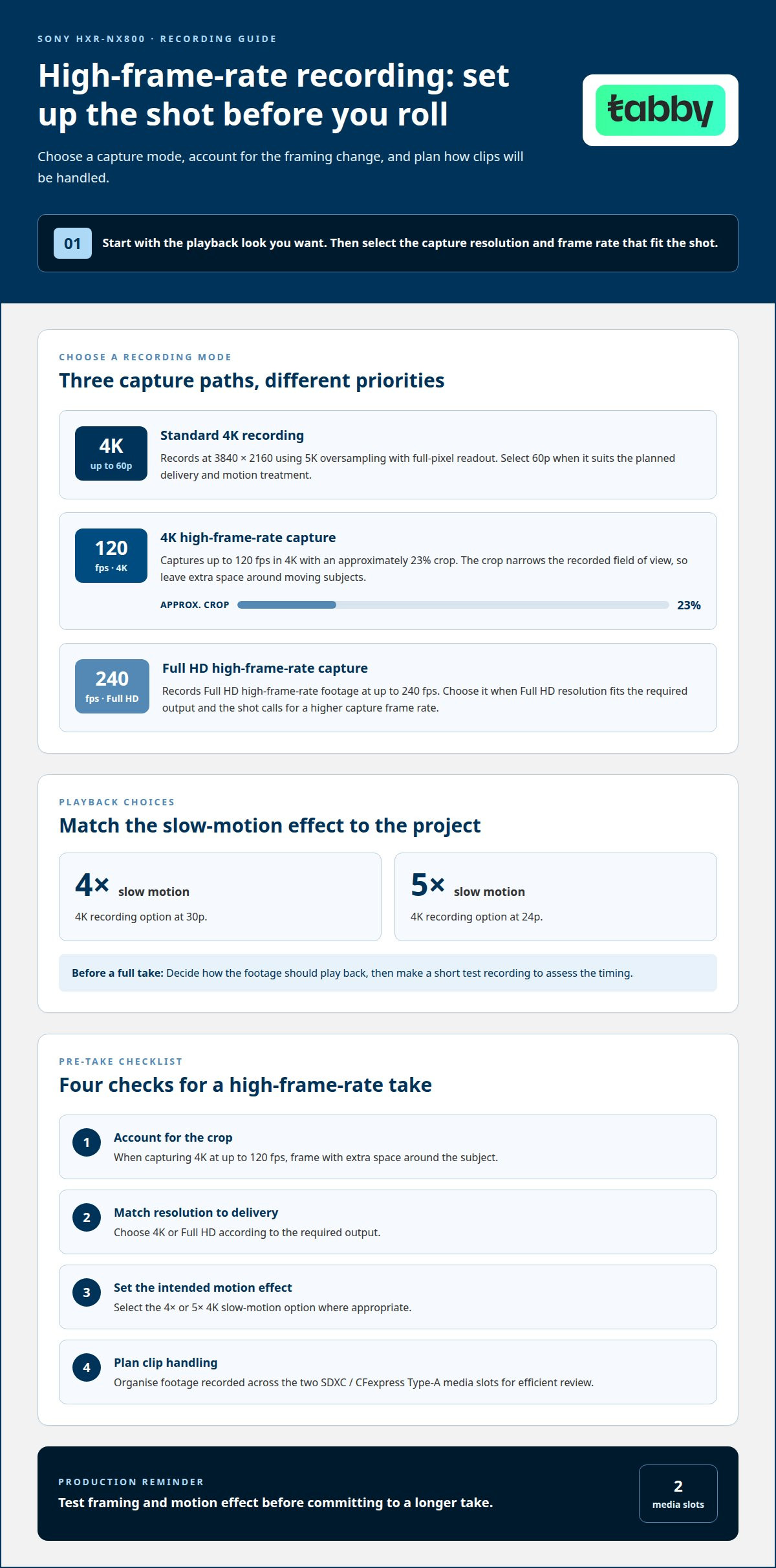
The Sony HXR-NX800 records 4K video at 3840 × 2160 resolution and up to 60p. It uses 5K oversampling with full-pixel readout for this recording mode. A 60p option gives production teams another capture rate to match their planned delivery and motion treatment. For example, footage intended to retain smoother motion may call for a different choice than a project built around slower playback.
For high-frame-rate work, the camera records 4K at up to 120 fps, with an approximately 23% crop. That crop narrows the recorded field of view compared with uncropped framing. Leave additional space around a moving subject during setup, especially when the subject may travel across the frame. This framing adjustment helps preserve the intended composition in action, sports or movement sequences.
The Sony HXR-NX800 also records Full HD high-frame-rate footage at up to 240 fps. That mode offers a higher capture frame rate than its 4K high-frame-rate option, while recording at Full HD resolution. Choose between the two modes according to the required image resolution and the intended slow-motion effect. For a fast action detail intended for Full HD delivery, the higher frame rate may better suit the shot.
In 4K, the camera can produce 4x slow motion at 30p or 5x slow motion at 24p. These options connect capture settings with the project’s playback frame rate. Decide how the final footage should look before selecting a mode, then make a short test recording to assess timing. That workflow helps confirm whether the motion effect supports the scene before recording a full take.
Plan storage and clip management alongside recording settings. The camera has two SDXC / CFexpress Type-A media slots, so confirm your cards match the format and recording mode you intend to use. High-frame-rate clips may require more review and post-production organisation. Label takes consistently by scene or action, and test your media workflow before filming.
Before a high-frame-rate take, use these setup checks:
- Account for the crop: Frame with extra space when capturing 4K at up to 120 fps.
- Match resolution to delivery: Choose 4K or Full HD based on the required output.
- Set the intended motion effect: Select the 4x or 5x 4K slow-motion option where appropriate.
- Plan clip handling: Organise footage recorded across the two media slots for efficient review.
For a walking subject, test the framing and motion effect before committing to a longer take. The Sony HXR-NX800’s crop, capture rate and playback choice all affect the recorded result. Aligning those decisions at setup helps keep the shot suited to the project’s final format.
AI-assisted autofocus and auto-framing
The HXR-NX800’s Fast Hybrid AF combines phase-detection autofocus with subject-focused operation. Its autofocus system has 475 phase-detection points and 81% coverage. These figures describe the focus system’s point count and coverage, giving operators a concrete basis for assessing autofocus across the frame. For a presenter moving within a composed shot, autofocus can reduce the need for repeated manual adjustments.
Phase detection helps the camera adjust focus as subject distance changes. In practice, focus performance still depends on the subject, lighting and movement within the scene. A speaker walking toward the camera creates a different focus task from a stationary interview subject. The 475-point system provides an extensive set of detection points, while 81% coverage indicates how much of the image area is served by autofocus.
For controlled filming, give the subject room to move and check focus during a test take. This can help with event coverage, interviews and presentations, where attention may shift between a speaker and nearby activity. Keeping the intended subject prominent in frame also makes focus easier to assess. These are practical shooting choices, not a substitute for checking focus on the camera’s display.
Auto Framing adds a separate composition tool through Sony’s Monitor & Control app. The paid version of Monitor & Control Ver. 2.3 supports up to 10 preset Auto Framing compositions. Up to 2 presets are available at no charge. Presets let the operator select a planned framing rather than building every composition from scratch. For example, a production can use a tighter composition for a single presenter and a wider one when the scene needs more surrounding space.
When planning a repeatable setup, consider how many compositions you need. Choose the compositions that suit the scene, then select the corresponding preset in the app. A production using only a few framing styles may find the available no-charge presets sufficient. If the workflow needs more variations, the paid version offers an expanded preset selection. Auto Framing presets help with composition, while autofocus manages focus; they serve different purposes.
- For moving subjects: Use Fast Hybrid AF and assess focus during a test take.
- For planned compositions: Choose an Auto Framing preset that matches the shot.
- For app-based framing: Account for the difference between up to 2 no-charge presets and up to 10 in the paid version.
Separating focus and framing decisions makes setup easier to evaluate. For a walking presenter, first set the composition, then observe autofocus as the subject moves. For a fixed interview, select a stable framing and check the subject’s focus before recording. Those simple steps help operators use the 475-point autofocus system and app-based presets as distinct tools in one camera workflow.
Audio, display and viewfinder
The HXR-NX800 supports audio recording across up to four channels. That capacity gives productions room to plan separate audio sources within one recording workflow. For example, an interview may involve a presenter and a guest, while additional channels can support other planned sources. The useful channel setup depends on the production’s audio requirements and how the recorded material will be handled later.
Plan the audio workflow before recording. Identify which sources need separate channel treatment, then monitor the sound during a test take. Four-channel capability does not replace careful microphone placement or listening checks. At a live event, for example, audio conditions can change as speakers move or room sound shifts. Monitoring helps catch problems while there is still time to adjust the setup.
For eye-level monitoring, the camera has a 0.39-type OLED viewfinder with approximately 2.36 million dots. The viewfinder provides a dedicated viewing option when an operator prefers composing through an eyepiece. Its dot count describes display resolution, not the final recorded video resolution. This distinction helps keep viewing specifications separate from recording formats.
The camera also has a 3.5-inch articulating touchscreen LCD, specified as a 3.5-type display with approximately 2.76 million dots. Its articulating design allows the screen angle to change, which can help when the camera sits low or is held above eye level. Touch operation gives the operator a direct way to interact with the display. A fixed interview and a low-angle shot illustrate why adjustable screen positioning can be useful.
Choose between the LCD and viewfinder based on camera position and how you prefer to monitor the shot. The LCD can be positioned for a low-angle shot, while the viewfinder offers an eyepiece-based option for handheld operation. Both displays have specified dot counts, but their practical value also depends on shooting position and viewing conditions. Decide which option suits the setup before a longer take.
Audio and monitoring choices work together during production. A clear preview helps you frame the subject, while audio monitoring lets you assess the recorded sound. For a seated interview, compose with the LCD or viewfinder and listen to the audio during a test. At a changing event, you may need to adjust display position and sound monitoring as the camera moves.
- Audio: Plan channel use around the sources required for the production, up to four channels.
- Viewfinder: Use the 0.39-type OLED display with approximately 2.36 million dots for eyepiece viewing.
- LCD: Use the articulating 3.5-inch touchscreen when an adjustable screen position suits the shot.
Battery compatibility and included accessories
Battery choice affects how a camera fits a long shoot. With a BP-U35 battery, the HXR-NX800 provides approximately 120 minutes of continuous operating time. A reviewed setup using the BP-U70 battery lasted around 4.5 hours. These figures offer practical reference points when planning power for a production day.
Those operating times differ by battery, so match the power option to the expected shooting pattern. A shorter interview with breaks may suit a BP-U35 workflow. A longer event may call for the BP-U70 setup used in the review. Actual operating time depends on how the camera is used, so plan around the session rather than treating a figure as a guarantee.
For an accessory plan, separate items compatible with the camera from items included in a specific package. The reviewed setup used a Sony Tough CFexpress Type A card with 160 GB capacity. That identifies the capacity of the card used in the review, not a standard in-box accessory. The camera also has two SDXC / CFexpress Type-A media slots, allowing recording plans to account for supported card formats.
Before a shoot, match power and media to the production schedule. Consider whether the battery will support the session and whether card capacity suits the recording plan. For extended event coverage, plan how the crew will manage battery changes and media handling. A short interview may need a simpler setup. These decisions keep accessories relevant to the job instead of adding equipment without a clear purpose.
How does the Sony HXR-NX800 compare with the Sony PXW-Z200 and HXR-NX200? The HXR-NX800 shares most features and specifications with the PXW-Z200, except for SDI output, timecode input and output, and the ability to upgrade to future codecs. The HXR-NX200 is a separate model, so compare its recording, autofocus, interfaces and battery requirements against the production workflow.
Battery and accessory requirements also depend on how each camera will be deployed. A single-camera interview has different power and media demands from a continuous event recording. For the HXR-NX800, the BP-U35 and BP-U70 examples help frame battery planning, while the reviewed 160 GB card illustrates one media option. Treat the camera body, battery and recording media as separate parts of the setup.
- Shorter sessions: Consider the BP-U35’s approximately 120-minute continuous operating time.
- Longer sessions: The reviewed BP-U70 setup lasted around 4.5 hours.
- Media planning: The review used a 160 GB Sony Tough CFexpress Type A card.
- Package contents: Distinguish review equipment and compatible accessories from items included with a particular purchase.
A production plan that accounts for battery runtime and recording media helps crews prepare a coherent camera setup. For a system-level discussion of camera configuration, discuss your camera setup.
United Broadcast & Media Solutions (UBMS)
United Broadcast & Media Solutions (UBMS) helps production teams assess professional camera equipment for their workflow. If the HXR-NX800’s recording, autofocus, audio or power features don’t align with a project, UBMS can help you consider suitable options across Professional Video Cameras and Digital Cinema Cameras.
For a broader setup, Cinema Lenses and Professional Lighting Equipment can also support production requirements. Consider these options when selecting equipment for a specific shooting environment or planning a coordinated camera package.
Contact United Broadcast & Media Solutions to discuss your camera and equipment requirements.
Plan the camera around your next production
Before choosing a camera, define the work it needs to support: the shooting environment, crew setup, preferred operating style and wider equipment system. The sony hxr-nx800 may suit one production workflow, while another may call for a different camera or lens configuration. Thinking through these requirements first helps turn specifications into a practical equipment decision.
United Broadcast & Media Solutions supports production workflows with Professional Video Cameras, Digital Cinema Cameras and Cinema Lenses. The right combination depends on how each component serves your intended production, rather than on specifications viewed in isolation. A focused discussion can help match your camera choice to the equipment your workflow requires.
Take the next step by clarifying your production needs and building a setup that supports the work ahead.
Frequently Asked Questions
What are the key specifications and features?
The Sony HXR-NX800 combines a 1.0-type sensor, integrated 20x optical zoom lens, 4K recording and Fast Hybrid AF. It also supports up to four audio channels and provides an articulating touchscreen LCD and OLED viewfinder. For production planning, consider how these features work together. A documentary crew, for example, may prioritise zoom range and monitoring, while an interview setup may focus more on audio and framing.
Where can I buy this camera in the UAE, and is it in stock?
United Broadcast & Media Solutions (UBMS) sells professional video cameras in the UAE. Stock status can change, so the current product listing is the relevant place to review purchase availability. Before ordering, plan the camera’s power and recording-media needs around the production schedule. UBMS also offers professional camera categories for teams assessing equipment options across a broader workflow.
What video resolutions, frame rates, codecs and bit rates does it support?
The Sony HXR-NX800 records 4K at 3840 × 2160 and up to 60p. High-frame-rate capture reaches up to 120 fps in 4K and 240 fps in Full HD; the 4K 120 fps mode has an approximately 23% crop. Select a mode based on delivery resolution and motion treatment. Codec and bit-rate choices should also fit the intended editing and playback workflow.
What are the lens, zoom range, sensor and low-light performance?
The camera has a 1.0-type CMOS sensor and a 20x optical zoom lens with a 24-480 mm full-frame equivalent range. Its ISO sensitivity range is 250 to 16,000. For a low-light shoot, test the camera in lighting similar to the actual location. This helps assess exposure and image characteristics before recording important material, while keeping lens framing and camera settings appropriate for the scene.
How long does the battery last, and which batteries are compatible?
A BP-U35 battery provides approximately 120 minutes of continuous operating time, while a reviewed BP-U70 setup lasted around 4.5 hours. Use these figures to plan power for the session and schedule battery changes around natural breaks. Continuous operating time varies with use, so production plans should account for the recording schedule and camera operation rather than treating either figure as a guaranteed runtime.
Which media cards and accessories are compatible?
The Sony HXR-NX800 has two media slots supporting SDXC and CFexpress Type-A cards. A review used a 160 GB Sony Tough CFexpress Type A card, but review equipment doesn’t establish what comes in every package. For a particular shoot, choose media according to the recording workflow, then plan batteries and other accessories separately. This keeps the equipment list aligned with the production instead of assuming a review setup is standard.


