

UAE Media Production Equipment Suppliers for AV Design
Dubai had 21 recorded company matches for film production equipment companies as of September 2026. To contact a media production equipment supplier in the UAE, use its published business contact details and send a concise brief describing the equipment or AV system you need.
Finding a supplier is only the first step. The right choice also depends on how well its equipment fits your production workflow, technical requirements and system design.
This guide explains how to approach suppliers, compare camera and lens options, and plan an AV system with pre-sales support in mind. You’ll learn what information to include in your enquiry and which technical factors can help shape a practical equipment selection.
Key Takeaways
- Use a clear enquiry that describes your production needs and the equipment or AV system you’re planning.
- Compare cameras and lenses by how they fit your workflow, rather than by isolated features.
- Bring system requirements into pre-sales discussions to shape a practical, compatible design.
- Consider how lighting and other production equipment work together as part of the overall setup.
- Explore professional camera, cinema lens and lighting options when selecting equipment for your project.
Media production suppliers in Dubai
Dubai had 21 recorded company matches for film production equipment in the UAE as of September 2026. Compare supplier contact details, technical scope, and operating locations before preparing an enquiry.
Dubai represented 52.5% of the largest-city concentration in the UAE film production equipment company list as of September 20, 2026. That concentration makes Dubai a useful starting point, but a directory entry alone doesn’t show whether a supplier has a local warehouse, demonstration studio, or branch in Abu Dhabi.
Warehouse and Studio Presence
A warehouse and a studio serve different purposes. A warehouse supports equipment storage and dispatch, while a studio provides a setting for technical planning or demonstrations. When evaluating a supplier, look for clear information about the facilities and their purpose. Don’t assume that one facility provides the capabilities of the other.
When contacting a supplier, describe the production format and the equipment categories involved. Ask for the appropriate business contact through its published details, and specify whether you’re discussing a studio, a warehouse, or both. This helps direct the enquiry to the right team without assuming every Dubai supplier operates both facilities.
Supplier Differences Across UAE Emirates
Suppliers in Dubai, Abu Dhabi, and other emirates can be compared by their product scope, technical support, and operating locations. Dubai’s recorded concentration offers a starting point for finding contacts, but it doesn’t establish that every supplier has branches elsewhere or the same inventory. A media production equipment supplier in the UAE should be assessed against the production’s actual technical requirements, not location alone.
For a project spanning emirates, separate the equipment decision from the logistics discussion. State where the system will be used, whether the work involves a studio or field setup, and which equipment categories are relevant. This gives suppliers a consistent basis for responding, while keeping branch presence distinct from service capability.
VAT, customs duties and import treatment depend on the equipment’s classification and whether it is sourced locally or imported. For budgeting, distinguish the equipment price from any import-related charges shown in the transaction documents.
Broadcast and Streaming Equipment
Broadcast, film, television and live-streaming projects can require different equipment. Broadcast studio gear supports studio workflows, while camera and lighting choices depend on the production format. Start with the intended use, such as a television studio or live-streaming setup, so the technical discussion focuses on the right system requirements.
Professional camera and lens inventory
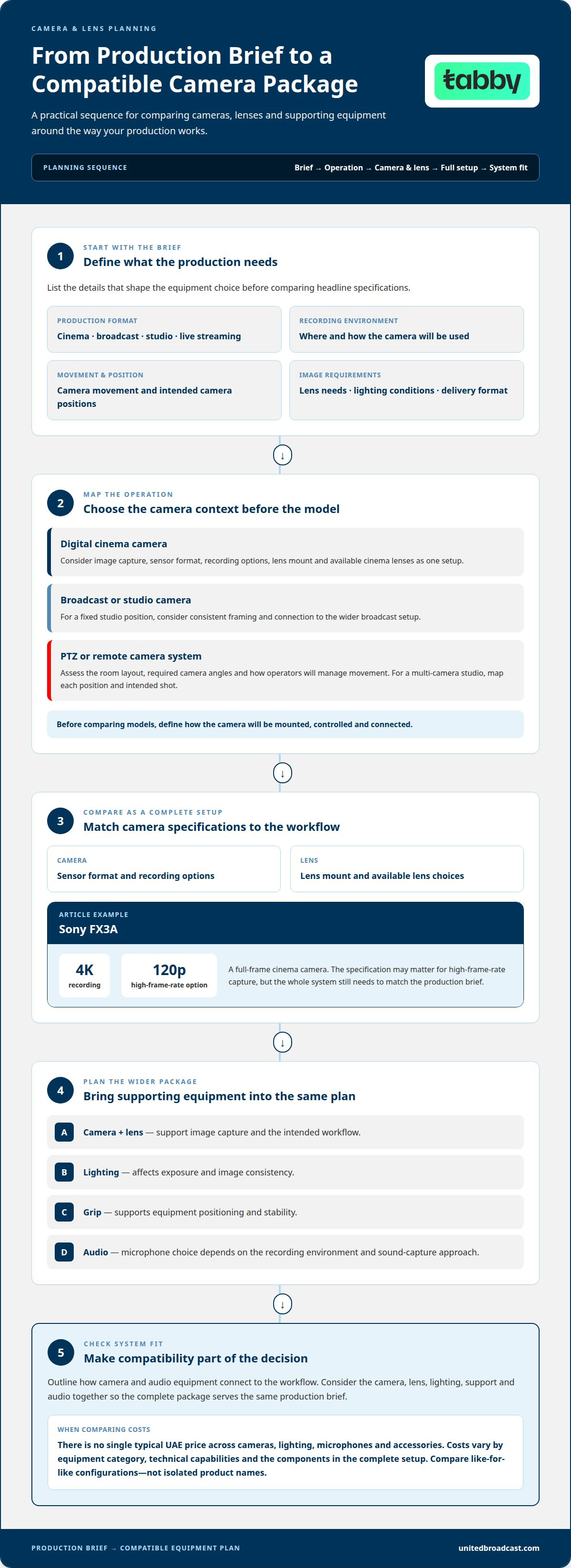
Start an inventory comparison with the production brief, not a camera’s headline specifications. List the recording environment, camera movement, lens needs, lighting conditions and delivery format. A studio interview, cinema shoot and live broadcast place different demands on equipment. This brief helps distinguish essential features from options that won’t affect the workflow.
Digital cinema cameras are designed for production workflows where image capture and lens choice need careful consideration. Compare sensor format, recording options, lens mount, and the available cinema lenses as a complete setup. For example, the Sony FX3A is a full-frame cinema camera with 4K recording at 120p. That specification can be relevant to projects requiring high-frame-rate capture, but it doesn’t replace checking the whole system against the production’s needs.
Broadcast and studio cameras serve different operating contexts. A fixed studio position may prioritize consistent framing and connection to the wider broadcast setup. A camera used for film work may need a different lens and operating configuration. Define how the camera will be mounted, controlled and connected before comparing models. That makes compatibility part of the decision, not an afterthought.
PTZ and remote camera systems suit setups where movement or operation is controlled from a separate position. Their value depends on the room layout, required camera angles and how operators manage movement. For a multi-camera studio, map each position and its intended shot before selecting equipment. This clarifies whether remote control is central to the workflow or unnecessary complexity.
A camera package is part of a wider equipment plan. Lighting affects exposure and image consistency, while grip equipment supports positioning and stability. Microphones handle audio capture, with the right choice depending on the recording environment and sound-capture approach. Consider the setup as a whole: camera, lens, lighting, support and audio should serve the same production brief.
There isn’t one typical UAE price for cameras, lighting, microphones or production accessories. Costs vary by equipment category, technical capabilities and the components needed for a complete setup. Compare like-for-like configurations rather than isolated product names.
Before requesting a proposal, organize your decision around these points:
- Production format: define cinema, broadcast, studio, or live-streaming use.
- Camera operation: note fixed, handheld, or remote-controlled positions.
- Optics and support: identify lens requirements, lighting, and grip needs.
- System fit: outline how camera and audio equipment connect to the workflow.
Pre-sales consultation and system design
A pre-sales consultation turns a production brief into a workable equipment and system plan. Start by defining the room, users, content and operating workflow. For example, a corporate studio may need camera positions, lighting, audio connections and a control point planned together. Clear requirements help shape a design around actual use, rather than a collection of unrelated devices.
For an AV installation, system design considers how each component fits the site and connects to the rest. Planning can map signal paths, equipment locations, operator access and control requirements. A presentation room has different priorities from a broadcast studio. Identify those differences early to give the design a practical basis and avoid overlooking connections or workflow needs.
Photo booth systems require their own workflow decisions. A DSLR-based booth may suit a setup focused on camera capture, while an iPad-based booth can support a different photography experience. Decide how guests will interact with the booth, where the camera or tablet will sit, and how images will be displayed or delivered. Leave enough space for guests and the operator to use the system comfortably.
A useful consultation brief can include:
- Purpose: describe the room, production, or photography experience.
- Users: identify who operates the system and who uses it.
- Equipment: list existing devices and planned additions.
- Connections: outline how video, audio, and control should work together.
- Site details: provide room plans or describe the installation environment.
These details translate requirements into a system design and installation scope. For a studio, the plan might coordinate camera positions, lighting and control. For a photo booth, it can define the DSLR or iPad arrangement and guest interaction. System integration is relevant when equipment needs to operate as one planned solution rather than as separate devices.
Use the consultation to resolve design choices before finalizing equipment selection. A documented workflow gives technical discussions a shared reference, whether the project involves a studio, an AV installation or photography. It supports informed decisions about layout, connections and operation without assuming every setup needs the same configuration.
What Defines a Professional Video Equipment Store in UAE?
A professional video equipment supplier supports production planning beyond camera selection. For a corporate interview, the workflow may include a camera, video lighting, audio capture and grip equipment. Each category affects the others. Start the discussion with the shoot’s location, subject and intended output, then consider how the components work together.
Lighting shapes the image before camera settings refine it. For a seated interview, the lighting plan should account for the subject’s position, the background and available room light. Video lighting can illuminate the subject, separate them visually from the background or balance changing ambient conditions. The right arrangement depends on the scene, so describe the location and desired look when discussing equipment.
Grip equipment supports the placement and stability of cameras and lighting. A stand or support has a different role from a camera body or light source, but its placement affects framing and safe operation. For example, a narrow office may limit stand placement. Include room layout and movement in the production plan, especially where people will work around the setup.
Include audio in the equipment discussion, even when video is the main focus. A talking-head interview, panel discussion and live presentation each create different sound-capture needs. Identify the number of speakers, the recording environment and whether the camera operator also manages audio. These details help align audio capture with the camera and lighting workflow, rather than treating each purchase as an isolated choice.
A useful supplier conversation connects equipment categories to practical production decisions. A supplier can help translate a corporate brief into a coherent selection. Bring the following details into the discussion:
- Production type: describe an interview, studio segment, or corporate presentation.
- Location: explain whether the scene is indoors, outdoors, or in a controlled studio.
- Lighting goals: identify the subject, background, and desired visual balance.
- Audio needs: state who speaks and how the recording will be used.
- Support requirements: note camera and light positions, room limits, and operator movement.
These details make for a more useful equipment discussion than a category list alone. A camera and lighting setup for a fixed studio interview may differ from one for a mobile corporate shoot. Connect each item to a clear production role, then consider whether the audio, lighting and grip choices support the same workflow.
AV solution design and product selection
A strong AV design starts with the work the system must perform. A production company planning a control room has different needs from filmmakers building a mobile cinema setup. Define the audience, room, content and operating workflow first. Those decisions shape equipment selection and prevent a product list from becoming the design itself.
Start by mapping the signal path from source to destination. In a studio, for example, trace camera output through processing and monitoring to recording or display. Identify where operators need to view images and control equipment. This diagram gives technical discussions a shared reference and highlights connections that product specifications alone may not explain.
Next, group equipment by role. Cameras capture images, lenses determine framing, lighting shapes the scene, and studio gear supports the wider workflow. Each component should meet a defined requirement. For example, a camera selected for a fixed studio position may not suit a production that regularly moves between locations.
Compatibility matters across the system. Consider how devices connect, how operators access controls and where equipment will sit. A studio with limited installation space needs a different layout from a larger control room. Record intended connections and placements before finalizing selections. This makes it easier to assess the solution as a complete system.
Filmmakers and production companies can organize product decisions around these criteria:
- Use case: describe the production and the system’s primary job.
- Signal flow: map each source, processing point, monitor, and destination.
- Operation: explain who controls the system and from which positions.
- Environment: note room layout, installation limits, and camera movement.
- Expansion: identify planned additions that could affect current choices.
Selection then becomes a matter of matching requirements to equipment. Compare options by their role in the design, rather than by isolated features. If two cameras appear suitable, consider lens requirements, position, connections and operator workflow together. The right fit supports the production brief and works coherently with the rest of the system.
Pre-sales design also helps define the project scope. A clear plan can distinguish equipment selection from system integration and show where installation decisions affect product choices. This is especially useful when a project includes several rooms or production spaces. One consistent design document gives stakeholders a shared set of technical terms for discussing requirements.
The takeaway is simple: specify the workflow first, map the system second, and select equipment against both. That sequence gives AV planning a practical foundation for filmmakers, production companies and studio teams.
United Broadcast & Media Solutions (UBMS): Professional Lighting Equipment
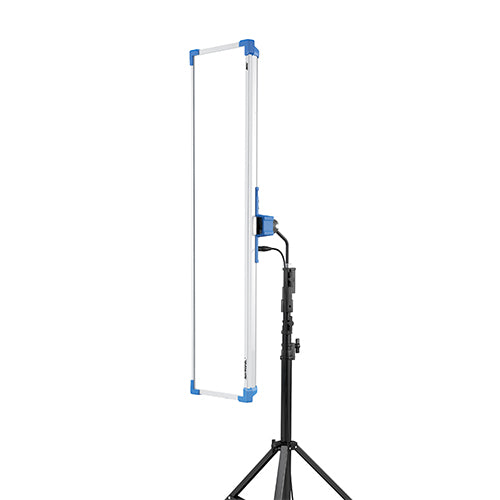
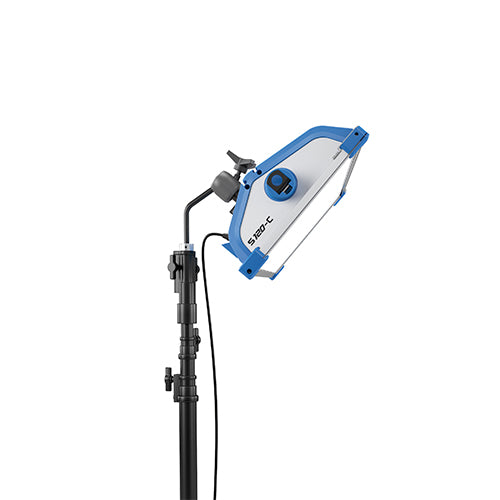
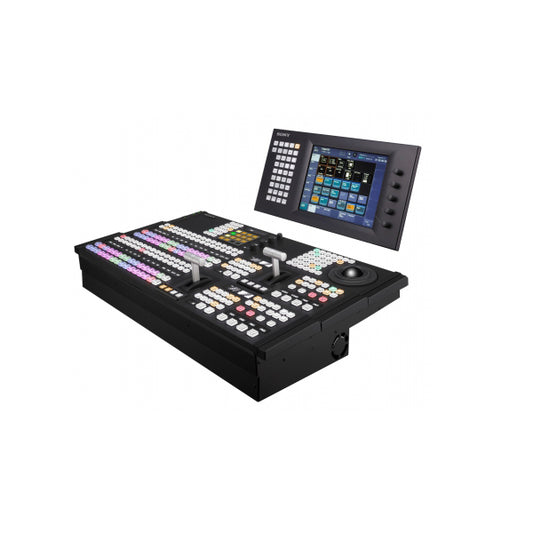
United Broadcast & Media Solutions (UBMS) supplies professional video cameras, digital cinema cameras, cinema lenses and professional lighting equipment. It also offers broadcast studio gear, system integration for broadcast environments and studio setups, and equipment repairs through its service center.
For a studio shoot, consider how lighting and camera choices work together to create the intended image. For cinema projects, align camera and lens selection with the production requirements. Discuss your workflow and equipment needs with UBMS to clarify which product categories and technical services fit your setup.
Contact United Broadcast & Media Solutions to discuss professional lighting, cameras and lenses, broadcast studio equipment or system integration for your production.
Shape Your Next Production Setup
Turn your project brief into a clear equipment plan. Define the production format, camera workflow, lens requirements and lighting priorities before narrowing your selection. This gives your team a practical basis for discussing how each component supports the complete system.
If you’re choosing a media production equipment supplier in the UAE, United Broadcast & Media Solutions (UBMS) supplies professional video cameras, digital cinema cameras and cinema lenses. These options support production planning when camera and lens selection need to align with project requirements.
Bring your intended use and technical priorities into the conversation. A focused discussion with UBMS can help you move toward a considered equipment selection.
Start with the requirements that matter most, and take the next step with confidence.
Frequently Asked Questions
How do I get contact information for these companies?
Use each supplier’s official contact page or published business details. For a useful first enquiry, include your organization name, preferred contact method, project type, and the equipment categories involved. A production company planning a studio upgrade, for example, can describe its current setup and the intended changes. This helps route the request to an appropriate sales or technical team and gives them context for a relevant response.
Which UAE suppliers sell professional media production equipment?
United Broadcast & Media Solutions (UBMS) sells professional video cameras, digital cinema cameras, cinema lenses, professional lighting equipment, and broadcast studio gear. A media production equipment supplier in the UAE can serve different needs depending on its inventory and technical capabilities. For an equipment purchase, identify whether the project needs a camera package, studio equipment, or lighting, then focus your enquiry on that requirement.
What cameras, lenses, lighting, audio, and studio equipment do UAE suppliers offer?
UBMS offers professional video cameras, digital cinema cameras, cinema lenses, professional lighting equipment and broadcast studio gear. Its product range includes Sony Alpha cameras and lenses, ARRI lighting equipment and Hollyland wireless microphone systems. The right selection depends on the production task. A camera-and-lens requirement differs from a studio project involving lighting and broadcast equipment, so describe the intended use when comparing categories.
Which UAE media production equipment suppliers are authorized dealers for major brands?
UBMS is an authorized Sony broadcast equipment distributor and an authorized ARRI Lighting distributor. Its service designations include Authorized Sony Service Center and Authorized ARRI Lighting Service Center. These authorizations apply to the stated brands and product areas, not automatically to every brand or equipment category. When brand authorization matters, match the stated status to the equipment you’re considering.
Which UAE suppliers offer equipment rental, repair, installation, or technical support?
UBMS provides equipment repairs through its service center and system integration for broadcast environments and studio setups. The company focuses on equipment sales and technical solutions, not equipment rental or video production. For installation planning, describe the system and equipment involved. For a repair enquiry, identify the equipment and explain the fault. This helps distinguish a service-center repair from a system integration project.
Can UAE businesses buy media production equipment online, and what are the delivery options?
Businesses can order equipment through UBMS’s online store, where product pages provide item details and purchase options. Review the order contents and delivery information during checkout, especially when buying accessories alongside the main equipment. Delivery timing depends on the item; listed lead times apply to specific products, not every order.
What should buyers check when comparing warranties and after-sales service from UAE suppliers?
Review warranty documents, exclusions and repair terms before purchase. UBMS requires the original purchase invoice and UBMS Warranty Card for warranty claims. Warranty exclusions include misuse, tampering, and damage caused by natural calamities, fire, disaster or transport. For service-center repairs, replaced parts have a one-month warranty from the release date, while labour has a two-month warranty. These repair terms are separate from product warranty coverage.


